
Follow us


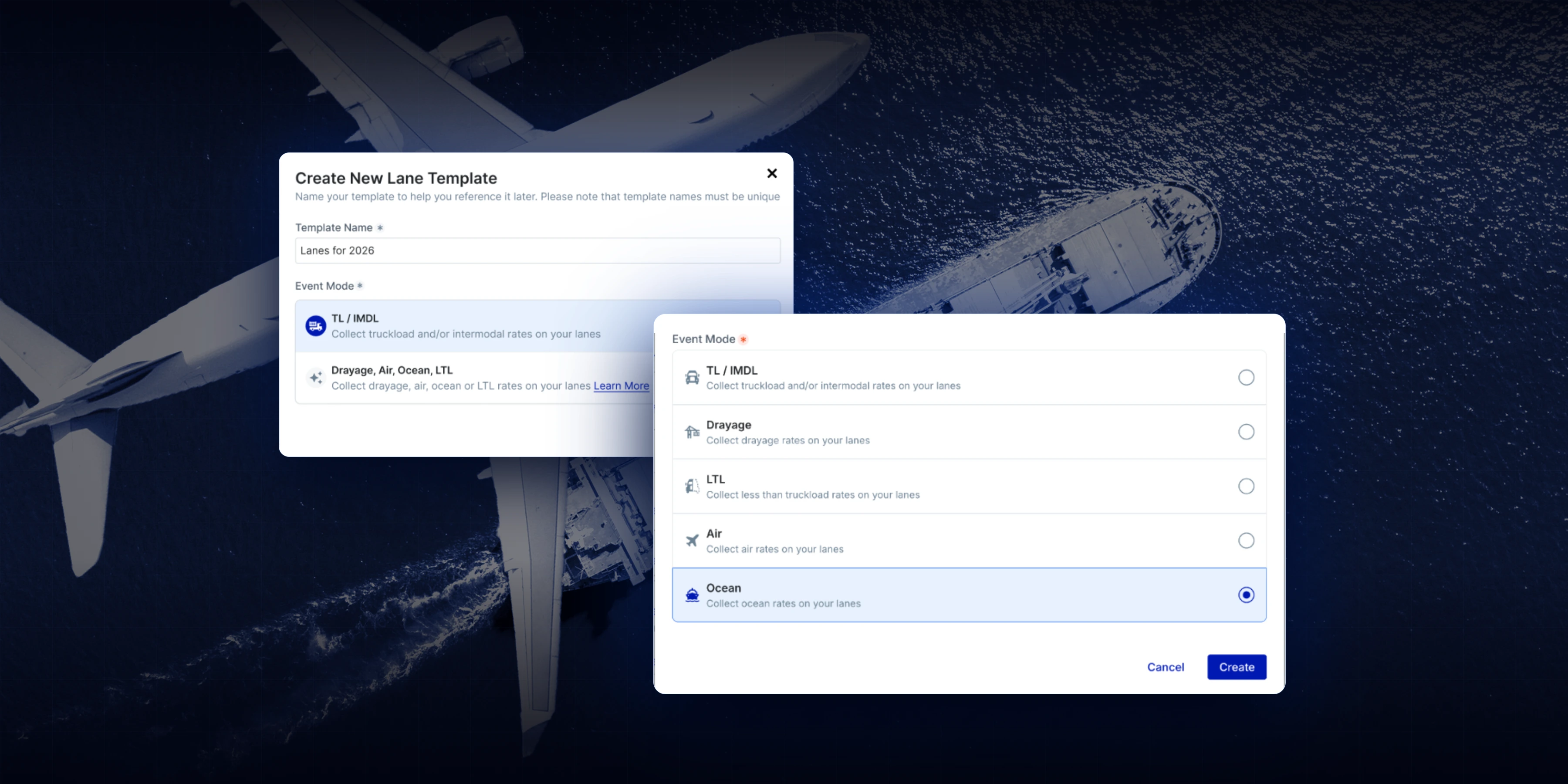
ProcureOS Pro shippers can now run contract bid events for air, ocean, and less-than-truckload (LTL) freight in Emerge, alongside the truckload, drayage, and intermodal bids they already run there. A flexible lane template builder lets you define your own origin and destination fields and your own rate types, per container, per kilogram, per pound, then run the same bid, award, and publish workflow you already know. Contract procurement for every mode, one platform.
Here's a Tuesday that will sound familiar. Your truckload bid runs in a platform: structured lanes, ranked bids, award scenarios, a clean audit trail. Your ocean bid runs in a spreadsheet, emailed to forwarders, versioned by whoever replied last. Same team, same freight budget, two processes, and no single source of truth.
Nobody chose that on purpose. It happened because truckload bid templates are rigid in exactly the ways ocean, air, and LTL are not: they assume cost per mile, volume commitments, and a routing guide. An ocean program prices per container. An air program prices per kilogram or per pound. And plenty of international programs don't collect volume commitments at all; they publish a forecast and want rates on file. Forcing that freight through a truckload-shaped template meant bending your process to fit the software, so most shippers didn't. The other modes stayed in the inbox.
That's the gap this release closes. Air, ocean, and LTL contract bids now run in Emerge, on templates you build to fit the program you actually run. If you are deciding which freight belongs in an LTL bid and which belongs in truckload, this guide to when to use LTL vs full truckload lays out the decision.
Every contract bid, every mode, one platform. ProcureOS Pro shippers can create air, ocean, and LTL bid events alongside truckload, drayage, and intermodal (which covers rail). The new modes come with a flexible lane template builder, and that's the part that makes them genuinely usable: instead of pre-built templates that guess at your program, you define the fields your bid needs.
Three things that matter most, straight from how shippers actually run these programs:
Four steps, self-serve.
From there it's the standard flow. Carriers respond in the platform or by downloading and re-uploading the bid template. Your lane list displays the fields you defined, so an ocean bid reads "Bangkok to Boston" instead of a generic label. Bid rank is available in the interface and the results export, you can now edit any field directly from the event page, and if your template collects volume, award scenarios and optimization work exactly as they do for truckload.
Worth being precise, because the scope is the point. This is contract procurement for air, ocean, and LTL: building templates, running bid events, collecting rates, and publishing awards. It is not execution, tracking, or spot coverage for these modes. LTL quoting and execution already live in the Emerge TMS; what's new here is LTL on the contract side. And these bids run against your own carriers and forwarders, the network you invite.
Running an LTL bid? Ask carriers to price your real class mix by lane. Our free freight class calculator works out density and class for each pallet on the current NMFC scale.
What freight modes can you run contract bids for in Emerge?
Truckload, drayage, intermodal (which covers rail), and now air, ocean, and less-than-truckload (LTL) for ProcureOS Pro shippers with the modes enabled. The new modes use a flexible lane template builder, so origin and destination fields, rate types, and data fields match the program being bid rather than a fixed format.
Do I have to collect volume commitments to run a bid?
No. Templates include estimated volume by default, but awards can be published with or without awarded volume commitments, and shippers can award every participant at primary with zero volume, the rates-on-file pattern common in ocean programs. If volume is collected from participants, award scenarios and optimization work as they do for truckload bids.
Can I use my own rate types, like per container or per kilogram?
Yes. Beyond the default rate types, you can create your own and name them, per kilogram, per pound, per ton, 20-foot container rate, 40-foot container rate, with a description shown to bidding carriers. The cost formula editor then builds on your rate field, including fees, minimums, and service-level logic.
Does Emerge execute or track ocean and air shipments?
No. This release is contract procurement: running the bid, collecting rates, and publishing awards for air, ocean, and LTL. Execution and tracking are not part of it. LTL quoting and execution exist separately in the Emerge TMS; air and ocean in Emerge are bid events run against a shipper's own carriers and forwarders.
Step-by-step guides for LTL, air, and ocean bid events are live in the help center. Still have questions? Reach out to our Support team at support@emergemarket.com
 SOC 2 Type II